There’s a version of Mandrill that I thought was the final form.
It was a reader. A beautiful one, I think open a Markdown file, see it rendered cleanly, pick your GitHub theme, move on with your day. Then it became an editor. Then it got folder support. Then GitHub integration. Each time, I thought: okay, that’s it. That’s the thing it needed to be.
I was wrong every time.
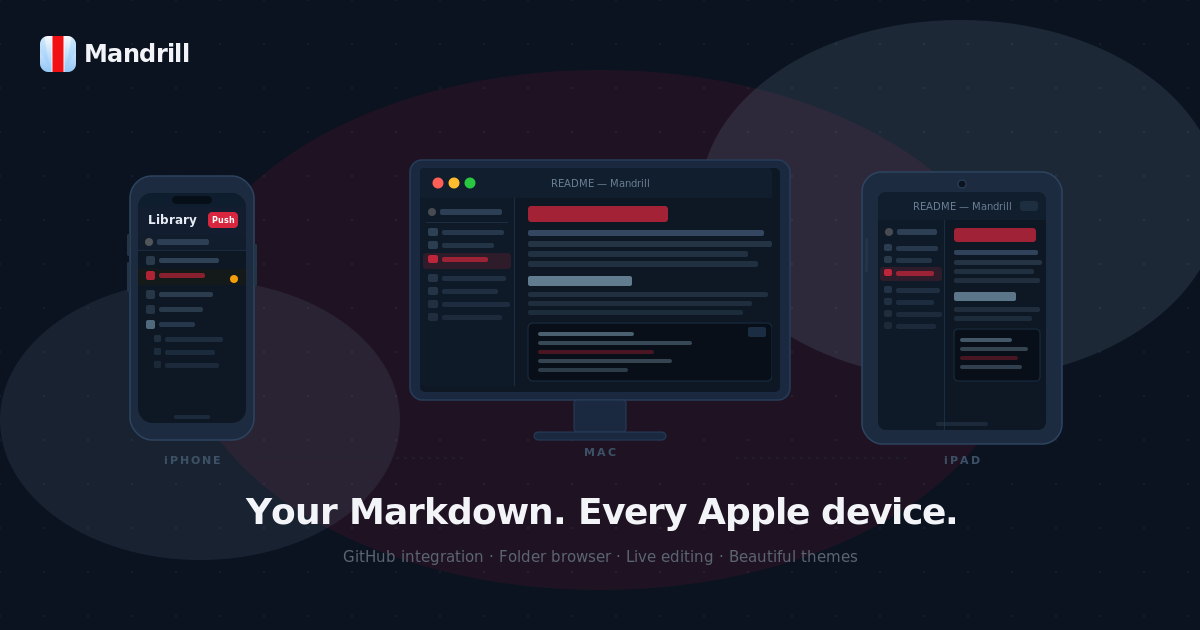
This release is the biggest one yet. Mandrill is now on iPhone and iPad. And across every platform: Mac, iPhone, iPad; it can now create files, move them, and rename them. Not just read them. Not just edit them. Actually manage them.
It took me a while to admit that this was what the app needed. I kept telling myself that file management was someone else’s job. That was what Finder was for, or the Files app, or the terminal. Mandrill was supposed to stay lean and focused.
But then I’d open a folder in Mandrill, start writing, realize I needed a new file, and flip to Finder to create it. Or I’d want to move a note into a subfolder and do the same shuffle. Every time, a small break in concentration. Every time, a reminder that the app wasn’t quite finished.
So I finished it.


Create files without leaving the app
On Mac, hitting ⌘N now opens a save panel pre-navigated to your active workspace. No hunting for the right folder, it opens where you’re already working. If you’d rather not leave the sidebar at all, right-click any folder and choose “New File Here.” The file is created exactly where you pointed, opens immediately in edit mode, and the title is pre-filled with a # filename heading so you can start writing in one keystroke.
On iPhone and iPad, the same intent is served through the + menu and long-press. Long-press any folder whether it’s a local folder or a GitHub repository and “New File Here” appears. On GitHub repos, the new file is immediately tracked for your next push. The workflow is the same whether you’re at a desk or on a couch.
A few details I’m quietly proud of: the extension is always .md, even if you forget to type it, and even if you accidentally type it twice. Duplicate names show an inline error before you commit. Nothing is ambiguous, nothing is lost.
Move files the way you’d expect
On Mac, you drag. Drag a file row onto any folder in the sidebar and it moves there. Drag it onto the workspace root and it lands at the top level. Drop it onto its own parent and nothing happens because nothing should. Conflicts surface an alert before anything is overwritten.
On iPhone and iPad, you long-press a file, tap “Move…”, and a folder picker appears every folder in your workspace, indented by depth, so you can see the structure at a glance. On GitHub repos, Mandrill handles the bookkeeping for you: it tracks the old path as deleted and the new path as added, so your next push reflects the move accurately without any extra steps.
Rename files in place
Right-click on Mac, long-press on iPhone or iPad, choose “Rename…” an alert appears with the current name pre-filled. Change it, confirm, and the file is renamed immediately. If that file is open in a tab, the tab title updates on the spot. On GitHub repos, a rename is tracked as a delete-plus-create for the next push, which is exactly how Git sees it anyway.
A note on the folder tree
I also changed something that sounds small but matters more than it looks: the sidebar now shows all non-hidden folders, even ones that don’t contain any .md files yet.
Previously, empty folders were invisible. The logic made sense; if there’s nothing to show, why show the container? But it broke drag-and-drop into empty folders, and it made the sidebar feel like a filtered view rather than a real representation of your workspace. Now it’s a real representation. You see what’s there. You can drag into it. The sidebar is trustworthy.
On iOS, I also rebuilt the folder tree from scratch — from a DisclosureGroup-in-VStack approach to a proper OutlineGroup, which means every node is now a native List row. This sounds like an implementation detail, and it is, but it’s the kind of detail that makes the whole thing feel more solid.
All of this, on your phone too
The thing that still surprises me about this release is that none of it feels like a compromise on iPhone or iPad. The file creation, the move picker, the rename — they’re not stripped-down versions of the Mac features. They’re designed for touch, which means long-press instead of right-click and a sheet instead of a drag, but they’re full implementations. The GitHub tracking works the same way. The .md extension handling works the same way. The duplicate name error works the same way.
Writing software for multiple platforms usually means accepting tradeoffs. This time I don’t think I made any.
Mandrill started as a reader. It’s something closer to a workspace now — a place where your Markdown files live, and where you can do everything you’d actually want to do with them, on every Apple device you own.
More soon.